WorkBench HR
WorkBench HR
A startup founder came to us with only an idea: AI HR for small businesses. I ran feature prioritization, designed the core screens, built the front end, and assembled the pitch.
A startup founder came to five CMU students with one sentence: AI-powered HR for small businesses. No feature set, no existing screens, no prior product. We had one semester to take it from that sentence to something pitchable to investors.
Small businesses with fewer than 50 employees rarely have a dedicated HR team. Hiring, onboarding, compliance, and performance documentation all fall to whoever has time, usually the owner. The tools they use were built for one job: payroll software handles payroll, records systems handle records, and nothing connects them.
We mapped the seven core HR processes: recruiting, hiring, onboarding, compliance, performance, documentation, and offboarding. Then we did a competitive analysis and a literature review. Two things kept coming up: data re-entered over and over (the same hire's name in email, then a spreadsheet, then Slack), and missed compliance deadlines that the owner found out about only after the fact.
The surprise was what payroll wasn't. Gusto and QuickBooks already owned it. What they didn't own was the coordination work around a hire: the offer letters, the state-specific compliance steps, the documentation that had to exist if someone was ever terminated. That was the gap.
The unserved problem was not payroll. It was everything that happened before and after it.
The founder had a vision, not a feature list. I ran a matchmaking exercise: each of us brainstormed applications across four categories (automation, generative AI, reasoning/analytics, general tools), then scored each of 17 candidates on financial viability, technical feasibility, and user desirability.
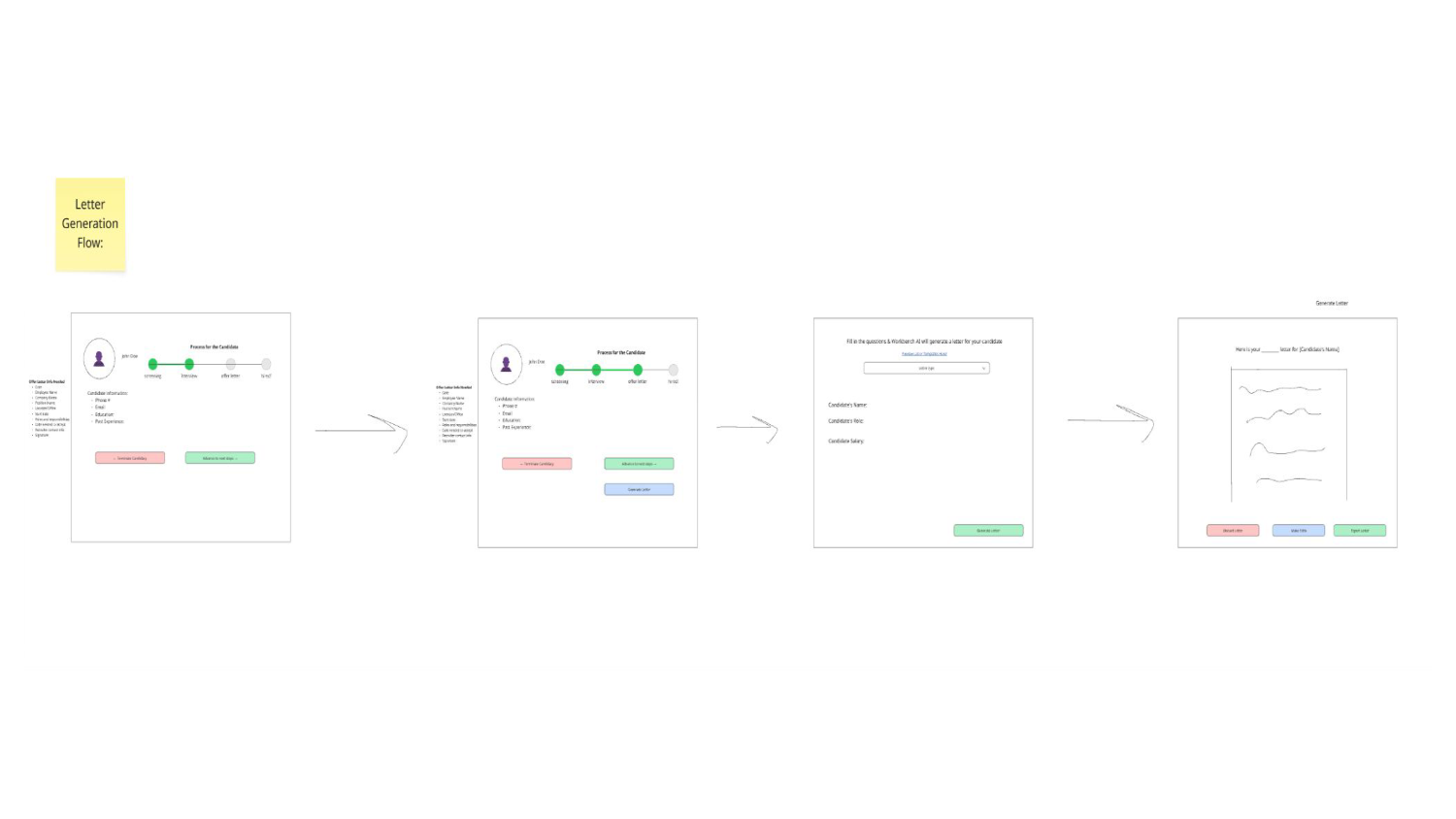
The chatbot scored highest, but it depends on the data infrastructure the other four features create. Without documents, there's nothing for it to draft from. Without lifecycle tracking, it doesn't know where a hire is. We designed it into every flow so the full vision is visible in every mockup, and labeled it as the next milestone in the pitch. The MVP proves we can fix fragmented HR work. The chatbot proves we can make it conversational, and that comes second.
The team's first instinct was to make the AI as capable as possible: auto-fill, auto-decide, auto-notify. The faculty mentor flagged that for small-business owners, AI making HR decisions without clear sign-off is a legal and trust problem.
Every AI output in WorkBench HR is a suggestion that a person approves before it goes anywhere. Auto-population pre-fills a form; the admin edits and submits. Notifications are triggered; a person confirms before they send. We ran a F.A.T.E. analysis to check for fairness, accountability, transparency, and explainability, and logged every AI action so there was a record if something went wrong. The onboarding flow was the most visible place to put this into practice.
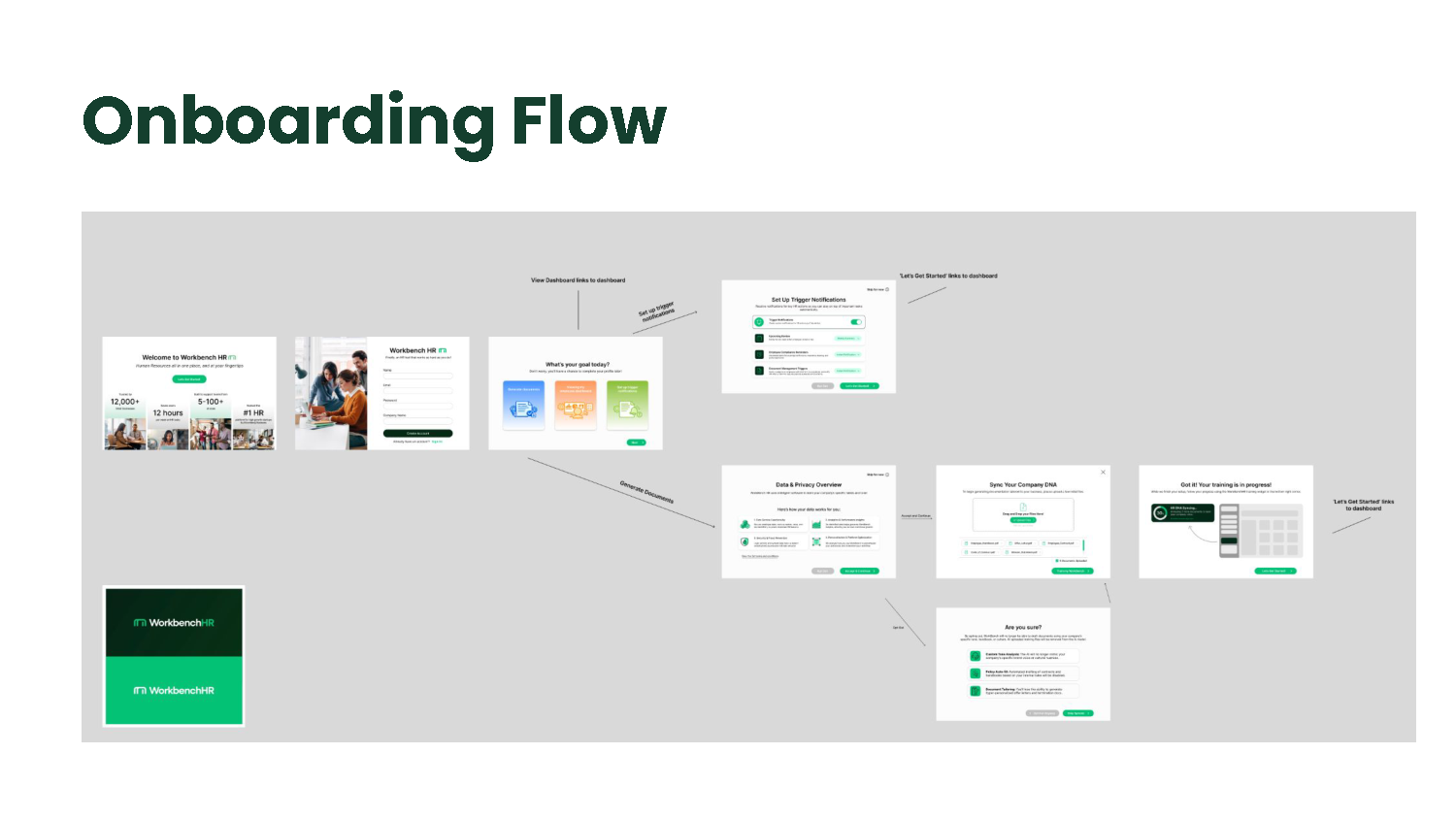
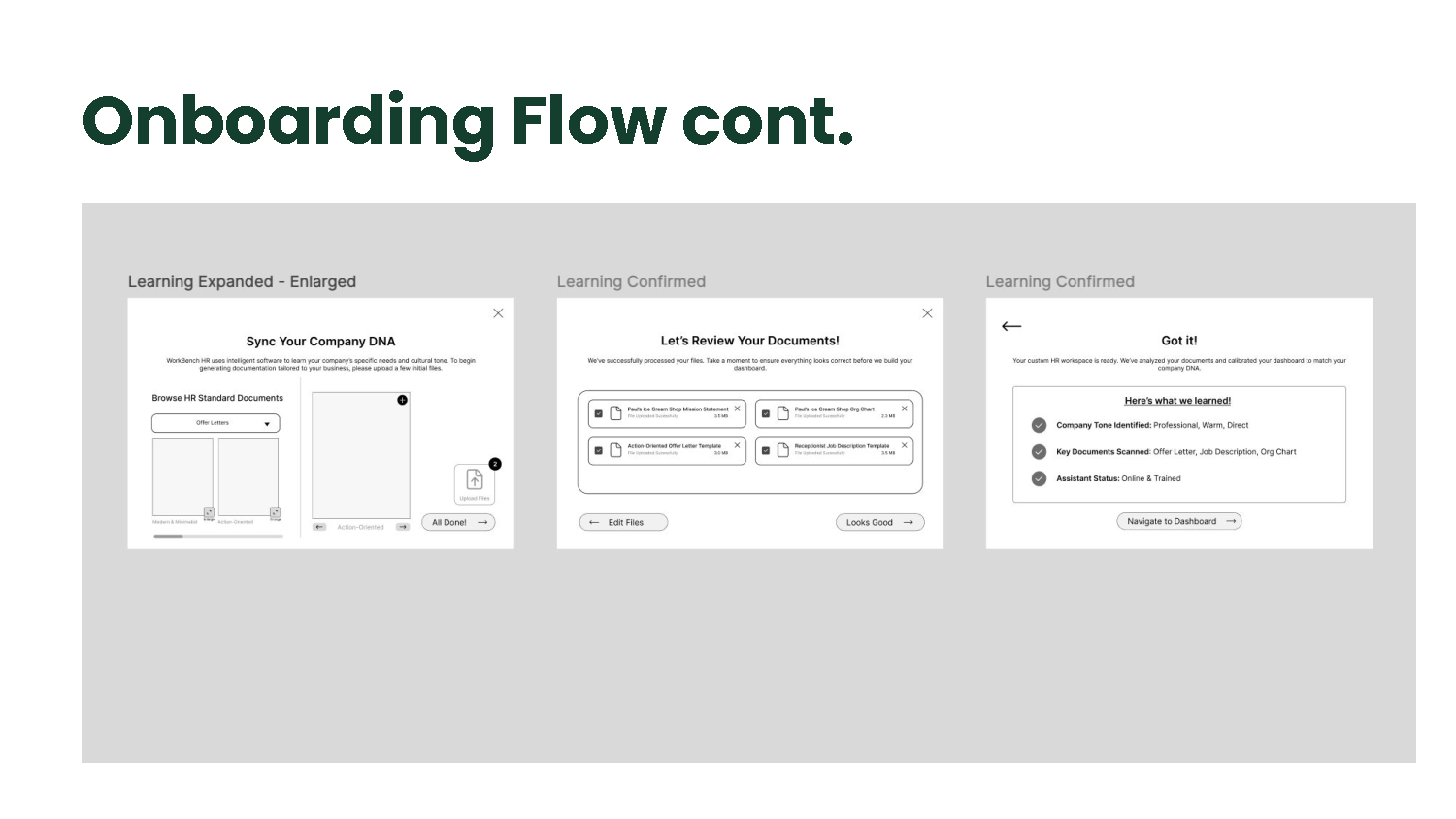
the privacy screen tells you plainly what you lose by opting out. it was the mentor's note that became the best screen in the flow.
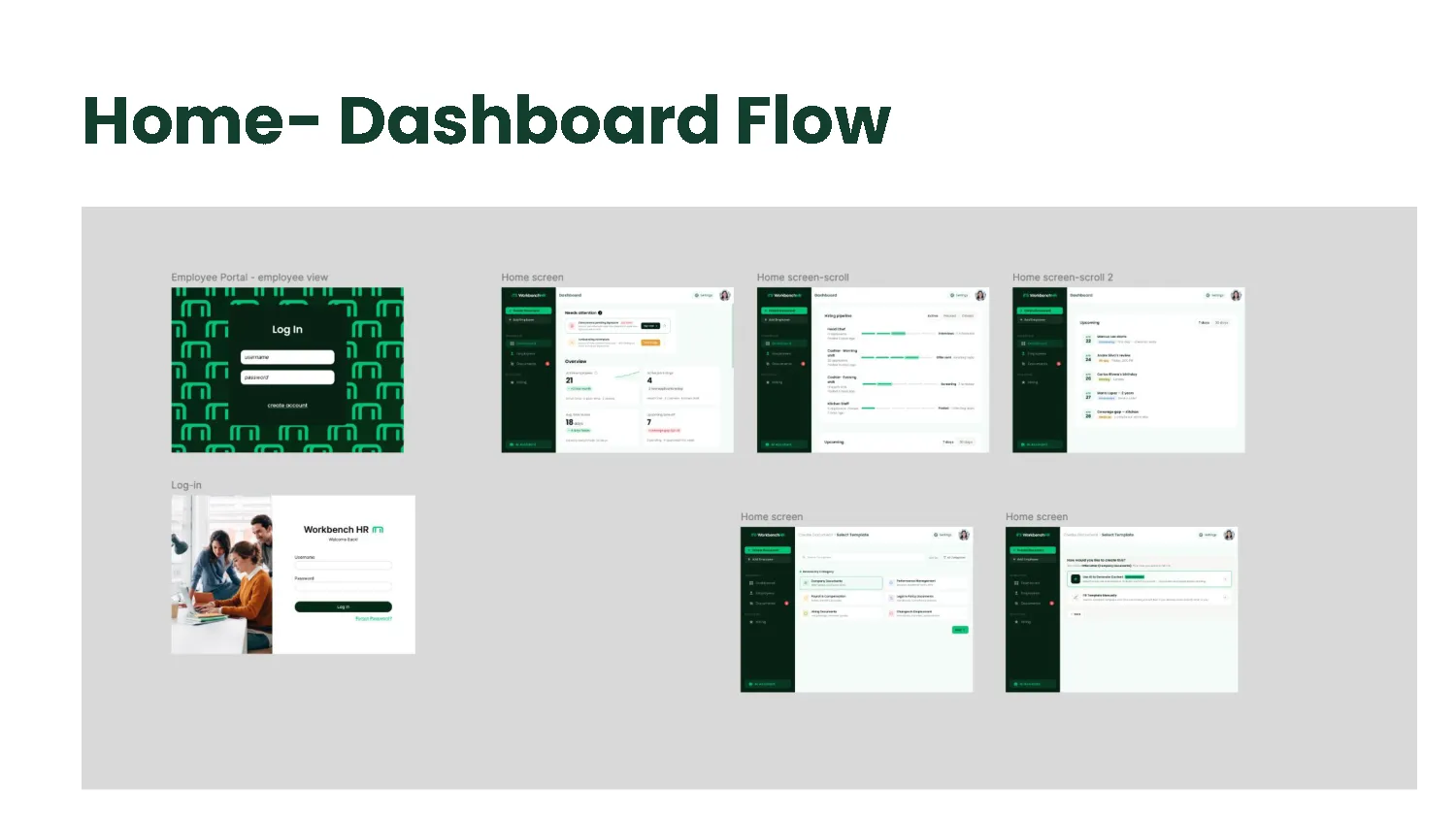
My screens were the Home Dashboard and the Employee Portal. The dashboard question from mentor feedback was which view to show first: processes, people, timeline, or tasks. I went with action-focused: hiring pipeline progress, document creation queue, upcoming tasks, and employee management. The goal was that someone who had never used the tool could open it and immediately see one thing to do.
I designed in Figma through lo-fi, two rounds of feedback and iteration, and hi-fi, then vibe-coded the MVP front end so we had a working build to demo. The engineering side ran a FastAPI back end with Pinecone and OpenAI embeddings for the RAG layer.
marketing site with waitlist and demo request form
working build: onboarding, dashboard, and settings flows
investor deck and upcoming pitch [TODO: update after pitch]
We left the semester with a site, a working front end, and a pitch. What we did not have was real small-business owners in a testing session. The persona, Mark, was secondary research and the founder's knowledge, not interviews. That gap is real, and the first version of the product will find out what it misses when it hits actual users.
Product decisions come from repeated operational problems, not from a feature list. If you pick the problem, the features follow. If you pick the features, you're guessing.